
Let’s get your next class on the calendar.
| Expert Classroom LIAISON DIGEST #13 | |
NEW IN YOUR DASHBOARD | |
Instructors, | |
You’ve got a title company in mind. Now let’s turn that conversation into a class you can put in front of people. | |
The updated advertisement form is ready in your dashboard. It brings your class details, location, pictures and invitation into one place—and lets you save a private draft while you put it together. | |
| Start with your next class. | |
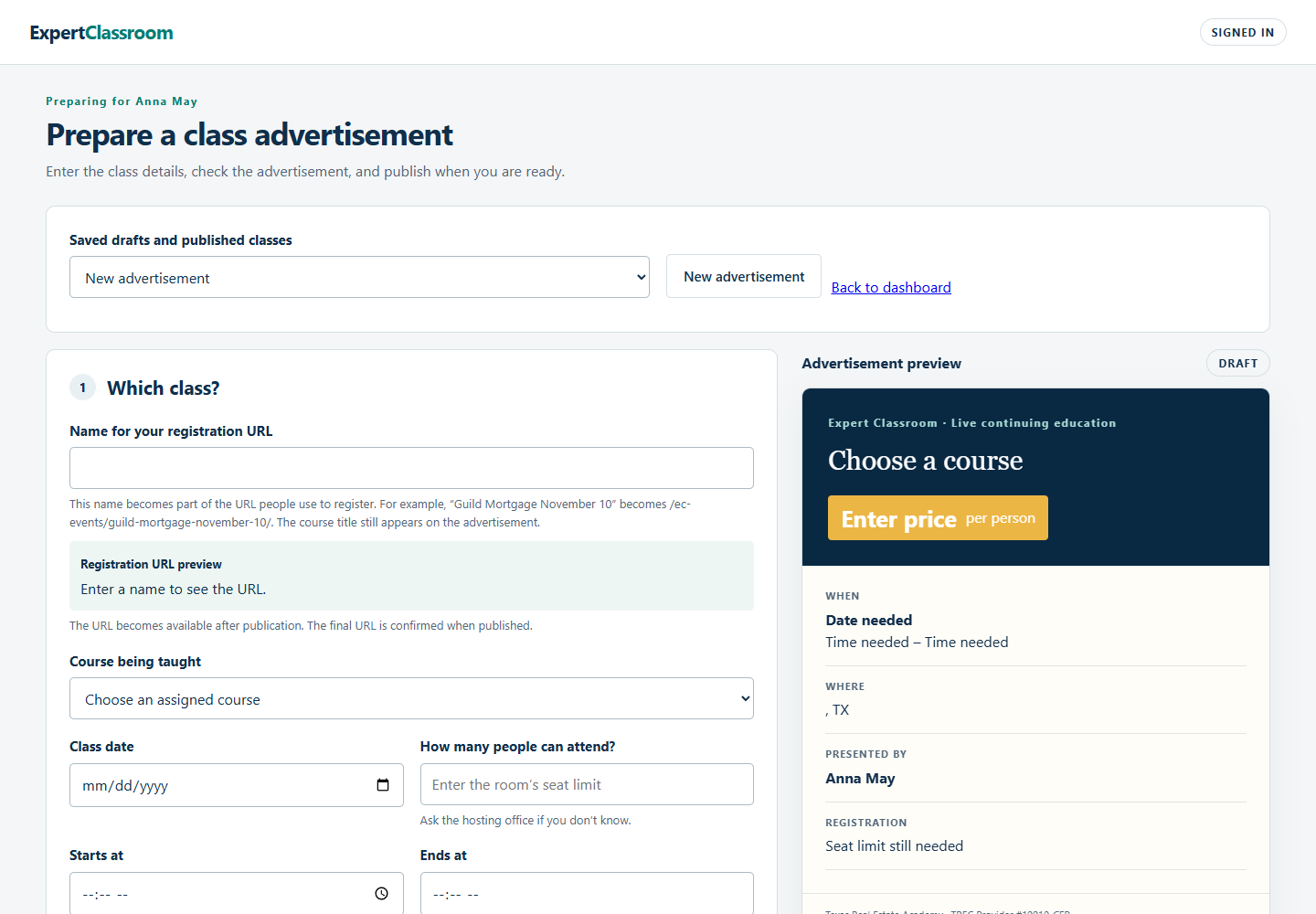 Look at the facelift on this beauty. This is your updated advertisement form—with your class invitation taking shape right beside it. Now let’s put your next class in there. | |
| |
Your draft stays private. You can work on the details without putting an unfinished class in front of the public. | |
| Give them something they can share. | |
Use the form’s preview and download controls to check the invitation. When your class is published and ready for registrations, share the finished PDF with your title-company contact. It carries the class’s registration link and QR code. | |
Teaching two compatible classes? You can also download a two-class invitation, with a separate registration link and QR code for each class. If you change the details, download a fresh copy before sharing. | |
| Here’s what your students receive. | |
The new registration confirmation puts the class title, instructor, date, time and address together, with Google Calendar and Apple / Outlook options. Your student can put the class on their calendar straight from the confirmation. | |
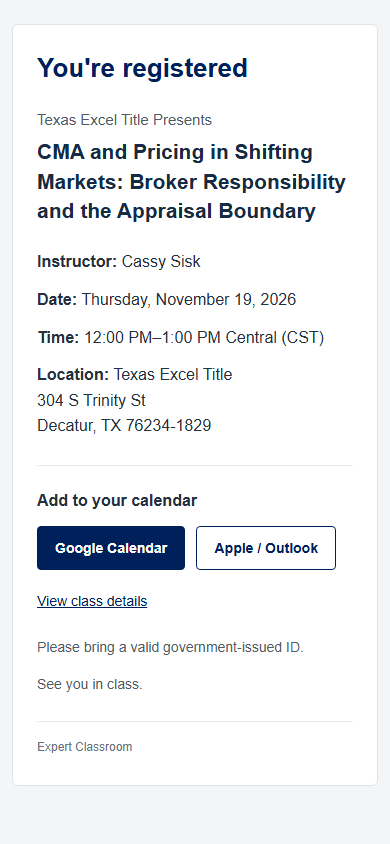 And this is the welcome waiting for your students. Your class, your name, everything they need to get there—and a button to put you on their calendar. Looking good before you even walk into the room. | |
| Your next move | |
Open your dashboard and take a look at the advertisement form. Think about the title company you want to approach and the course you’d like to bring them. You don’t have to finish everything in one sitting—save your draft and keep building it. | |
If you get stuck, call me. We’ll work through it together. | |
You bring the expertise and the relationship. These tools are here to help you turn them into a room full of people you can teach. | |
David | |
| Open your instructor dashboard → | |
| |